
Pinterest SEO for Beginners (How to Get Your Pins Found)
Introduction
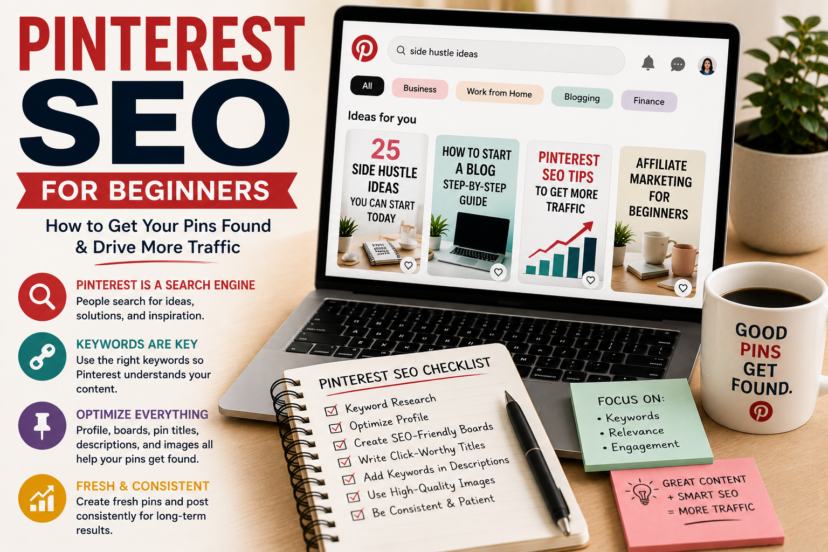
Learning Pinterest SEO for beginners is one of the most important steps if you want to drive traffic to your website. Many people create beautiful pins but never understand why some perform well while others receive almost no clicks.
The reason is simple: Pinterest works like a search engine. Just like Google, Pinterest uses keywords and other signals to decide which content to show users.
Fortunately, you don’t need to be an SEO expert to succeed. In this guide, you’ll learn the basics of Pinterest SEO and how to optimize your account, boards, and pins for long-term growth.
What Is Pinterest SEO?
Pinterest SEO means optimizing your content so that Pinterest can understand what your pins are about.
Pinterest analyzes:
- pin titles
- pin descriptions
- board names
- profile descriptions
- image content
- website topics
- user engagement
The better Pinterest understands your content, the more likely it is to show your pins to the right audience.
Why Keywords Matter on Pinterest
Keywords are the foundation of Pinterest SEO.
When users search for terms such as:
- side hustle ideas
- affiliate marketing tips
- blogging for beginners
- email marketing strategies
Pinterest tries to find the most relevant pins.
Without keywords, the platform has no clear signal about your content.
That is why every creator should learn basic keyword research.
If you’re new to keyword research, our guide Keyword Research for Beginners explains how to find search terms that people are already using online.
Where to Use Keywords on Pinterest
Pinterest keywords should appear naturally in several places:
Your Profile
Include keywords in your profile description so Pinterest understands your niche.
Example:
“Helping beginners start a blog, grow website traffic, and build realistic side income streams.”
Your Boards
Board titles should be descriptive.
Good examples:
- Blogging Tips
- Pinterest Marketing
- Affiliate Marketing for Beginners
- Side Hustle Ideas
Avoid vague names like:
- My Inspiration
- Cool Stuff
- Ideas
Pin Titles
Your title should clearly describe the content.
Examples:
- How to Start Affiliate Marketing
- Pinterest SEO Tips for Beginners
- How to Drive Traffic to Your Blog
Pin Descriptions
Write short descriptions that naturally include relevant keywords.
Avoid keyword stuffing.
Pinterest wants content that sounds helpful and human.
How to Find Pinterest Keywords
Pinterest itself is one of the best keyword tools.
Try these methods:
Use the Search Bar
Start typing a phrase and look at Pinterest’s suggestions.
For example:
- Pinterest SEO
- Pinterest traffic
- blog promotion
These suggestions come from real user searches.
To understand the platform itself, read How Pinterest Works in 2026, where we explain why Pinterest behaves more like a search engine than a social network.
Explore Related Topics
Pinterest often shows additional keyword bubbles below the search bar.
These suggestions help you understand what users are looking for.
Analyze Popular Pins
Look at successful creators in your niche.
Notice:
- the words in their titles
- their board names
- their pin descriptions
Do not copy them—use them for inspiration.
Why Fresh Pins Matter
Pinterest likes fresh content.
A fresh pin does not necessarily mean a brand-new blog post.
It can simply be:
- a new image
- a different design
- a new title
- updated text
Creating multiple pin designs for the same article can increase your chances of reaching more people.
Fresh content is easier to create when you have a strong publishing strategy. In How to Plan Blog Content, you’ll learn how to organize your ideas and build topic clusters.
Common Pinterest SEO Mistakes
Avoid these common beginner mistakes:
- ignoring keywords
- stuffing keywords everywhere
- using vague board names
- copying other creators
- expecting instant results
- publishing inconsistently
Pinterest SEO is a long-term strategy.
How Long Does Pinterest SEO Take?
Pinterest SEO usually takes time.
Many creators see little activity during the first weeks.
However, as Pinterest gathers more information about your content, your reach can improve significantly.
Consistency and patience matter far more than short-term results.
Growing traffic on any platform requires patience. If you struggle to stay motivated, read How to Stay Consistent as a Blogger for practical tips on building long-term habits.
Want to master blogging and Pinterest step by step? Visit our Pinterest Marketing Hub for more beginner-friendly guides on traffic, SEO, and content promotion.
Final Thoughts
Pinterest SEO may seem overwhelming at first, but the fundamentals are simple.
Focus on using relevant keywords, creating helpful content, and organizing your account clearly. Over time, Pinterest will better understand your niche and show your pins to the right audience.
Remember: Pinterest success rarely happens overnight. Small improvements repeated consistently can lead to significant traffic growth.
FAQ
1. What is Pinterest SEO?
Pinterest SEO is the process of optimizing your pins, boards, and profile so that Pinterest can understand and recommend your content.
2. Are keywords important on Pinterest?
Yes. Keywords help Pinterest determine who should see your pins.
3. Where should I add Pinterest keywords?
Use keywords naturally in your profile, boards, pin titles, and pin descriptions.
4. How long does Pinterest SEO take to work?
Most beginners need several weeks or months before seeing meaningful results.
5. Do I need many followers to succeed on Pinterest?
No. Pinterest relies much more on keywords and content quality than on follower counts.