
How to Write Blog Posts Faster Without Sacrificing Quality
Introduction
Learning how to write blog posts faster can make a huge difference when you’re building a blog alongside a job, family, or other responsibilities.
For many beginners, creating a single post takes far longer than expected. You start with a blank document, write a few sentences, revise the opening, look up another detail, reconsider the headline, check a keyword, and perhaps browse competing articles for inspiration.
Before you know it, an hour has passed—and the first section still isn’t finished.
The issue usually isn’t a lack of writing ability. More often, too many different tasks are happening at once. Research, organization, drafting, editing, SEO, and proofreading all compete for your attention, making it difficult to maintain momentum.
A more efficient approach is to give each stage its own place in the process:
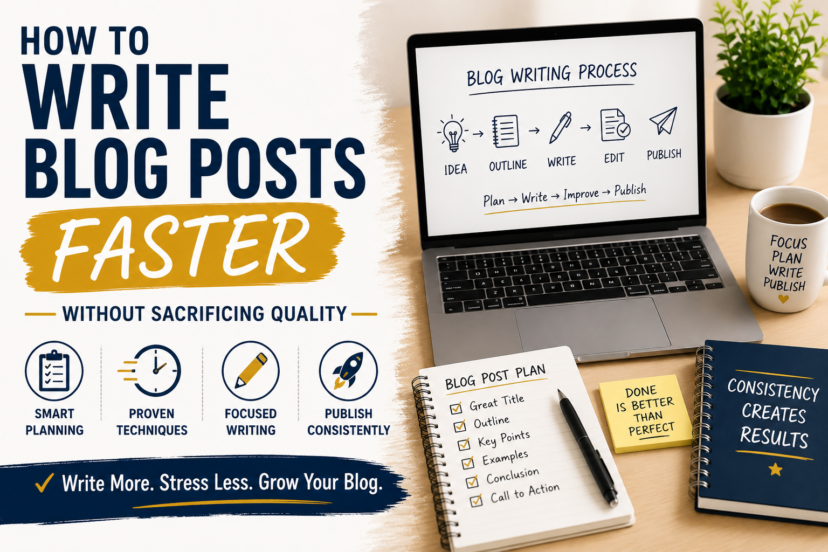
Topic → Research → Outline → Draft → Edit → Optimize → Publish
This simple separation removes unnecessary decisions while you’re drafting and allows you to concentrate on one task at a time.
With a repeatable workflow, creating high-quality content becomes more efficient, less stressful, and easier to fit into a busy schedule—without sacrificing the value you provide to your readers.
In this guide, you’ll learn how to build that workflow and eliminate many of the habits that make blogging take longer than it needs to.
Why Does Writing a Blog Post Take So Long?
Beginners often assume experienced bloggers simply type faster.
That is rarely the main advantage.
The bigger difference is usually process.
A blogger with a clear topic, research notes, article structure, and editing routine already knows what happens next.
A beginner often makes every decision while writing.
Common time-wasters include:
- starting without a clear search intent
- researching while drafting
- editing every sentence immediately
- repeatedly changing the structure
- checking SEO while trying to write
- trying to make the introduction perfect first
- opening too many sources and browser tabs
- getting distracted
- waiting for inspiration
- worrying about word count
Each interruption forces your brain to switch tasks.
That makes writing feel harder than it needs to be.
The goal is therefore not:
“How can I type 2,000 words as quickly as possible?”
A much better question is:
“How can I remove unnecessary decisions and interruptions from my writing process?”
Step 1: Know What Your Content Needs to Accomplish
Before creating an outline, be clear about the purpose of your post.
Ask yourself:
Who am I writing for?
Which problem does the reader want to solve?
What should they know or be able to do when they finish reading?
Which search intent should the content satisfy?
Once these points are clear, deciding what belongs in your post—and what doesn’t—becomes much easier.
Suppose your article is:
How to Write Blog Posts Faster
The reader probably does not need a history of blogging.
They have a practical problem:
Writing takes too long. How can I make the process more efficient without producing worse content?
That becomes your direction.
Once the reader’s problem is clear, deciding what belongs in the article becomes much easier.
If you already followed How to Plan Blog Content, much of this work has already been done before you sit down to write.
Step 2: Research Before You Draft
Research and writing are different tasks.
Trying to do them simultaneously creates constant interruptions.
Instead, collect the information you need before writing the main draft.
Depending on the article, that might include:
- key facts
- official documentation
- current information
- statistics
- examples
- product details
- relevant questions
- search intent
- related terminology
- your own notes or experience
The amount of research should depend on the subject.
A simple article based largely on your own experience may require relatively little external research.
A technical, financial, legal, health-related, or highly current subject may require much more verification.
So don’t impose an arbitrary rule such as:
“Research for exactly 30 minutes.”
Instead, research until you have enough reliable information to answer the reader’s question accurately.
Then move on.
Step 3: Stop Researching When You Have Enough Content
There is another side to this problem.
Research is essential, but it can easily turn into procrastination. You start with one useful article, follow a reference to another source, discover an interesting study, and before long, you are watching videos or exploring additional resources that were never necessary for the post.
At some point, gathering more information stops improving the content and simply delays the writing process.
Before you begin researching, decide what information you actually need.
Two hours later, you have learned a lot—but still have no draft.
Before researching, decide what information you actually need.
For example:
Article: How to Write Blog Posts Faster
Research questions:
- Why does writing become slow?
- Which steps can be separated?
- How should an outline work?
- Where can templates help?
- How can AI assist responsibly?
- What should happen during editing?
- Which shortcuts should be avoided?
Once you can answer those questions, you probably have enough material to begin.
Research should support writing.
It should not indefinitely postpone it.
Step 4: Create the Outline Before Writing the Introduction
Now turn your research into structure.
A useful outline for a how-to article might look like:
Introduction
Why the problem happens
Steps 1 to 3
Common mistakes
Simple workflow
FAQs
Conclusion
Then make the headings more specific.
For this article, for example:
- Why Writing Takes So Long
- Define the Article’s Purpose
- Research First
- Create an Outline
- Draft Without Editing
- Use Placeholders
- Write the Introduction Later
- Edit in Separate Passes
- Optimize for SEO
- Add Internal Links
- Use AI Responsibly
- Create a Repeatable Workflow
Now the blank page is no longer blank.
You have a series of smaller questions to answer.
That’s psychologically much easier than thinking:
“I need to write a 2,000-word blog post.”
Step 5: Write the First Draft Without Constant Editing
This is one of the biggest productivity improvements you can make.
Draft first. Edit later.
When drafting, your job is to get the ideas onto the page.
The sentence does not need to be perfect.
The paragraph does not need to be elegant.
The transition can be improved later.
If you stop after every sentence to ask:
“Is this the best possible way to say this?”
you repeatedly switch from creative thinking to critical editing.
That slows your momentum.
During the first draft, allow yourself to write imperfectly.
You are not publishing the draft.
You are creating material that you can improve.
Step 6: Use Placeholders Instead of Interrupting Yourself
Suppose you are writing and suddenly realize:
“I need to verify that statistic.”
Don’t necessarily stop your entire writing session.
Insert something like:
[VERIFY STATISTIC]
or:
[ADD EXAMPLE]
or:
[INTERNAL LINK]
or:
[CHECK PRODUCT DETAILS]
Then continue writing.
Later, you can search the document for your placeholders and resolve them systematically.
This small habit prevents a five-minute fact check from becoming 25 minutes of unrelated browsing.
Of course, anything marked for verification must actually be checked before publication.
The point is not to skip verification.
It is to control when it happens.
Step 7: Don’t Force Yourself to Write From Top to Bottom
You do not have to write the introduction first.
In fact, introductions can be easier after the main article exists.
Why?
Because by then you know exactly what the article contains.
If the introduction is slowing you down, skip it.
Start with the section you understand best.
Write the main body.
Then return to the introduction and explain:
- what problem the reader has
- why it matters
- what the article will help them accomplish
The same applies to conclusions.
Writing does not have to happen in the same order that readers eventually consume it.
Step 8: Use Blog Post Templates—But Don’t Make Every Article Identical
Templates can eliminate repetitive decisions.
For example, a practical tutorial might use:
Problem → Why It Matters → Steps → Mistakes → FAQs → Conclusion
A comparison article might use:
Who the Products Are For → Key Differences → Pros and Cons → Use Cases → Recommendation
An affiliate review may need:
What It Is → Who It’s For → Features → Benefits → Limitations → Alternatives → Recommendation
Templates give you a starting structure.
But they should not force every article into the same shape.
The content should determine the structure—not the template.
A useful template saves decisions.
A bad template creates repetitive, formulaic writing.
Step 9: Build Reusable Elements
Templates can go beyond article structure.
Think about things you repeatedly create.
For example:
- FAQ formatting
- disclosure text
- CTA formatting
- image specifications
- SEO checklist
- publishing checklist
- Pinterest workflow
- internal-link checklist
- article status labels
If you recreate the same process manually every week, there may be an opportunity to standardize it.
This is especially useful when blogging is only one part of your week.
The fewer routine decisions you have to make, the more energy you can spend on the content itself.
Step 10: Edit in Separate Passes
Once the draft is complete, switch roles.
Now you are the editor.
Instead of trying to fix everything simultaneously, you can edit in passes.
Pass 1: Structure
Ask:
- Does the article follow a logical order?
- Are any sections missing?
- Is anything repeated?
- Does every section support the main topic?
Make larger changes first.
There is little point polishing a paragraph that you later delete.
Pass 2: Clarity
Now improve the writing.
Look for:
- unnecessarily complicated sentences
- vague explanations
- repetition
- weak transitions
- unnecessary filler
- confusing examples
Your goal is not to make the writing sound sophisticated.
Your goal is to make it easy to understand.
Pass 3: Accuracy
Check:
- facts
- figures
- product information
- names
- dates
- external references
- claims that require verification
Pass 4: Proofreading
Finally, check:
- grammar
- spelling
- punctuation
- formatting
- broken sentences
- accidental duplication
Separating these tasks helps you focus on one type of problem at a time.
Step 11: Do SEO After the Main Draft
SEO matters.
But constantly thinking about SEO while drafting can make your writing unnatural and slow.
Once you have a useful article, review the SEO elements.
Check:
- Does the title clearly describe the topic?
- Does the introduction establish the subject?
- Are headings useful and descriptive?
- Does the content satisfy the search intent?
- Are important related questions covered?
- Is the URL clear?
- Is the meta description useful?
- Are there relevant internal links?
- Are images appropriately described?
You do not need to force an exact keyword into every section.
Write for the reader first, then make sure search engines can clearly understand what the page is about.
Step 12: Add Internal Links Systematically
Internal links are much easier to manage when they are part of your workflow.
After the draft is finished, ask:
What should the reader understand before this article?
and:
What should they learn next?
For this article, someone who struggles to write efficiently may first need a better planning system.
That’s why How to Plan Blog Content is a natural supporting resource.
Likewise, someone who is still deciding what their blog should cover may benefit from How to Choose a Blog Niche.
Internal links should help the reader continue their journey rather than simply being inserted because SEO software asks for them.
Step 13: Use AI to Remove Friction, Not Responsibility
AI can significantly speed up parts of blogging.
For example, it can help you:
- brainstorm topic angles
- organize rough notes
- suggest outline structures
- identify questions you may have missed
- generate headline variations
- simplify awkward sentences
- find repetition
- improve formatting
- create alternative explanations
- proofread drafts
But AI also creates a new temptation:
producing more content simply because you can.
Faster generation does not automatically mean better content.
AI-generated information can also be wrong, outdated, generic, or unsupported.
You remain responsible for what appears on your website.
Verify important claims.
Add your own judgment.
Use genuine experience where you have it.
Never use AI to invent first-hand experience, product testing, results, or expertise that you do not actually have.
AI is most valuable when it reduces repetitive work while you remain the editor and decision-maker.
Step 14: Create a Distraction-Free Writing Session
A good workflow still requires concentration.
Before a focused writing session:
- close unrelated tabs
- silence unnecessary notifications
- put your phone out of reach
- open your outline and research notes
- decide which section you will complete
Notice the last point.
Instead of saying:
“I am going to work on my blog.”
give yourself a specific task:
“I am going to draft Sections 1–4.”
or:
“I am going to edit and optimize Article 38.”
Specific tasks reduce the time spent deciding what to do.
Step 15: Batch Similar Tasks When It Makes Sense
Task switching costs time.
If your workflow allows it, group similar activities.
For example:
Research several planned articles.
Then:
Create several outlines.
Then:
Draft the next article.
Or batch smaller publishing tasks:
- create meta descriptions
- prepare featured images
- add ALT text
- check internal links
- prepare Pinterest Pins
You do not have to batch everything.
But when you notice yourself repeatedly opening the same tools and performing the same actions, batching may make the process more efficient.
Step 16: Build Your Own Publishing Checklist
One of the easiest ways to work faster is to stop relying on memory.
Create a simple checklist.
For example:
Before Writing
- Search intent understood
- Research completed
- Main sources collected
- Outline created
Drafting
- Main sections written
- Examples added
- Questions answered
- Placeholders marked
Editing
- Structure checked
- Repetition removed
- Facts verified
- Grammar checked
SEO
- SEO title
- Focus keyphrase
- Meta description
- Slug
- Internal links
- Image ALT text
Publishing
- Featured image
- Categories
- Links tested
- Formatting checked
- Mobile preview
- Publish
Promotion
- Pinterest Pin
- Email if relevant
- Links from older articles
- Future update noted
A checklist may seem like extra work at first.
After several articles, it saves time because you no longer have to remember every step.
Don’t Confuse Faster Writing With More Publishing
This distinction is important.
Suppose your improved workflow reduces the time required to create an article.
That does not mean you now have to double your publishing frequency.
You could use the saved time to:
- improve older content
- create Pinterest Pins
- build your email list
- research future articles
- strengthen internal links
- learn SEO
- improve your website
The goal is not to turn blogging into a content factory.
The goal is to make your limited working time more productive.
If you are wondering how large your content library actually needs to become, How Many Articles Do You Need? explains why there is no magic number of posts that guarantees success.
Quality Still Comes Before Speed
Writing faster only helps if the finished article remains useful.
Never save time by skipping:
- necessary research
- fact-checking
- useful examples
- editing
- disclosures
- reader questions
- important updates
A fast article that does not help anyone is not efficient.
It is simply finished quickly.
The better goal is:
Create the strongest useful article you reasonably can with an efficient process.
That aligns with the broader approach in Content Marketing for Beginners: useful content should solve problems and build trust rather than exist merely to increase your publishing count.
A Simple Blog Writing Workflow
If all of these steps feel like too much, use this condensed system:
1. Define
What problem am I solving?
↓
2. Research
What do I need to know?
↓
3. Outline
What is the clearest structure?
↓
4. Draft
Write without polishing every sentence.
↓
5. Edit
Improve structure, clarity, and accuracy.
↓
6. Optimize
SEO, internal links, formatting, images.
↓
7. Publish
Complete your checklist.
↓
8. Promote
Help people discover the article.
This removes much of the chaos from blogging.
Instead of trying to do everything at once, you always know what stage you are working on.
Develop a Sustainable Writing Rhythm
Efficiency improves naturally with practice.
After publishing 20 articles, you will probably start noticing familiar patterns and develop routines that make the entire process easier.
Introductions become simpler to structure. You gain a better sense of when you have researched enough, outlines take less time to create, and unnecessary sections are easier to spot.
Editing also becomes more decisive, while familiar tasks such as formatting, adding images, inserting internal links, and publishing in WordPress gradually become routine.
With every completed post, you spend less time figuring out how to work and more time focusing on creating useful content.
These small improvements compound.
That is why consistency matters.
Not because Google requires you to publish every Tuesday at 9:00 a.m., but because repeatedly using the same workflow helps you become more efficient.
Once your articles are being published consistently, How to Get Your First 100 Website Visitors can help you turn that growing content library into traffic.
For the complete sequence of beginner blogging guides, visit the Blogging hub.
Conclusion
Learning how to write blog posts faster is not about typing faster or lowering your standards.
It is about improving your process.
Instead of researching, drafting, editing, optimizing, and proofreading simultaneously, separate the work into clear stages:
Research → Outline → Draft → Edit → Optimize → Publish
Use templates for repetitive tasks.
Create placeholders instead of interrupting your draft.
Edit in separate passes.
Use AI as an assistant rather than a substitute for judgment.
Build a publishing checklist.
And remove distractions when it is time to write.
Most importantly, remember why you are trying to become more efficient.
The goal is not to produce the maximum number of articles.
The goal is to make it realistic to create helpful, trustworthy content consistently over the long term.
Speed is useful.
A sustainable system is better.
FAQs
1. How long should it take to write a blog post?
There is no ideal amount of time. A simple experience-based article may be relatively quick to produce, while an in-depth guide requiring significant research, fact-checking, screenshots, or comparisons can take much longer. Focus on developing an efficient process rather than trying to meet an arbitrary time limit.
2. Should I edit while writing a blog post?
Usually, separating drafting from editing is more efficient. Write the main draft first and then return to improve structure, clarity, accuracy, grammar, and formatting. Minor corrections are fine, but repeatedly rewriting every sentence can interrupt your momentum.
3. Can AI help me write blog posts faster?
Yes. AI can help with brainstorming, outlines, organization, headline ideas, rewriting, and proofreading. However, you should verify important information and remain responsible for the final article. AI should never be used to fabricate personal experience or expertise.
4. Should I write the introduction first?
Not necessarily. If the introduction slows you down, write the main sections first and return to it later. Once the article exists, it is often easier to write an introduction that accurately explains the problem and what the reader will learn.
5. How can I write faster without lowering the quality of my blog?
Improve the workflow rather than cutting important steps. Research before drafting, create an outline, separate writing from editing, use placeholders, standardize repetitive tasks, and use a publishing checklist. This saves time without sacrificing research, accuracy, or usefulness.