
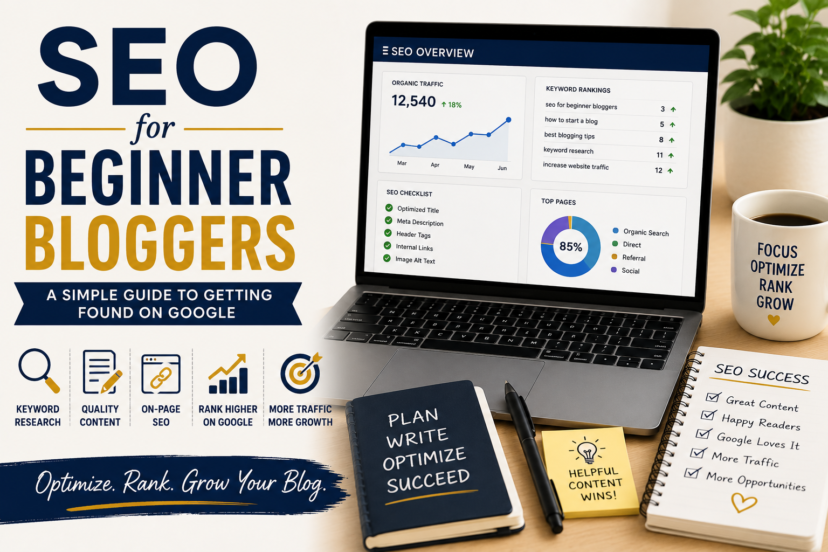
SEO for Beginner Bloggers A Simple Guide to Getting Found on Google
Learning SEO for beginner bloggers can feel overwhelming at first. You hear about keywords, rankings, backlinks, indexing, search intent, metadata, algorithms, and technical optimization—and suddenly blogging seems much more complicated than simply writing helpful articles.
But SEO does not have to begin with all of that.
At its core, search engine optimization is about making it easier for people to discover useful content when they search for answers online.
That means understanding what your audience is looking for, creating a page that genuinely addresses that need, and organizing your website so both visitors and search engines can understand how everything fits together.
SEO cannot guarantee that an article will rank, and there is no secret formula that automatically puts a new blog on the first page of Google. Competition, website reputation, content quality, links, technical factors, and many other signals can influence search visibility.
What you can control is the foundation.
And for a beginner blogger, getting that foundation right is far more valuable than trying to master every advanced SEO technique at once.
What Is SEO?
SEO stands for Search Engine Optimization.
In simple terms, it means improving your website and content so they can be discovered, understood, and potentially shown when people search for relevant information.
Imagine someone types:
“how to choose a blog niche”
into Google.
The search engine has to determine what that person wants and which available pages might provide a useful answer.
Your job as a blogger is therefore not to “trick” an algorithm.
It is to create a page that makes its purpose clear and satisfies the reader who arrives there.
Good SEO brings several things together:
A real search need + Useful content + Clear structure + A technically accessible website
That is a much healthier way to think about SEO than obsessing over how many times a particular keyword appears on a page.
Why Does SEO Matter for Bloggers?
Publishing an article does not automatically create an audience.
You can spend hours producing an excellent guide, press Publish, and discover that almost nobody reads it.
That is normal, especially on a new website.
People need a way to discover your content.
SEO can become one of those discovery channels.
The major advantage is that an article can potentially continue attracting search visitors long after you publish it. Unlike a social media post that may disappear quickly from people’s feeds, useful search-focused content can remain discoverable as long as it continues to satisfy relevant searches.
That does not mean traffic is guaranteed forever.
Rankings change. Competitors improve their pages. Search behavior evolves. Information becomes outdated.
But a growing library of useful, well-organized content gives your website more opportunities to be found.
Start With Search Intent, Not a Keyword Checklist
Older SEO advice often focused heavily on choosing one keyword and placing it in specific locations throughout an article.
Keywords still matter because they help us understand how people search.
But there is a more important question:
What does the person making this search actually want?
That is search intent.
Someone searching for:
“what is affiliate marketing”
probably wants an explanation.
A person searching:
“how to start affiliate marketing”
is more likely looking for practical steps.
And someone searching:
“GetResponse vs Mailchimp”
probably wants help comparing two options.
All three searches relate to affiliate or online marketing, but they require very different content.
Before writing, ask yourself what would make the visitor feel:
“Yes, this is exactly what I was looking for.”
That should shape the article.
Keywords Are Still Useful—Just Use Them Naturally
This does not mean we can forget about keywords.
Keyword research helps you discover the language your audience uses and the questions people are interested in.
For example, this article focuses on SEO for beginner bloggers.
Closely related searches might involve:
- beginner SEO
- SEO basics for bloggers
- blog SEO
- how to optimize blog posts
- how to get blog traffic from Google
We do not need separate articles for every small variation if the underlying search need is essentially the same.
Nor do we need to force all of those phrases repeatedly into the text.
Instead, the topic should become obvious through natural language, useful headings, examples, and comprehensive explanations.
If keyword research is still unfamiliar, Keyword Research for Beginners is the logical next guide. It explains how to find topics your audience is already searching for without turning your writing into a keyword exercise.
Create the Best Answer You Can Reasonably Provide
Once you understand the search intent, focus on the reader.
Suppose someone arrives at an article titled:
How to Plan Blog Content
They probably want more than a definition of content planning.
They may need to know:
- where ideas come from
- how to organize topics
- what to publish first
- how keywords fit into the process
- how to create a content calendar
- how internal links connect related posts
A useful article anticipates these natural follow-up questions.
This does not mean every post needs to be enormous.
A 1,000-word article that completely answers a focused question can be more useful than a 4,000-word article filled with unnecessary sections.
Length is not the goal.
Completeness relative to the reader’s need is the goal.
Write for Humans First
SEO content sometimes gets a bad reputation because people associate it with awkward writing.
You have probably seen sentences like:
“If you are looking for SEO for beginner bloggers, this SEO for beginner bloggers guide will teach beginner bloggers SEO…”
Nobody wants to read that.
Search optimization should not make the content worse.
Use the terminology people search for where it naturally belongs, but write sentences for the person sitting on the other side of the screen.
Explain unfamiliar terms.
Use examples.
Break complicated concepts into manageable pieces.
Answer the question without forcing the reader through paragraphs of filler.
If creating useful content efficiently is still a challenge, How to Write Blog Posts Faster shows how to separate research, outlining, drafting, editing, and optimization into a more manageable workflow.
Make Your Content Easy to Navigate
Imagine opening an article and seeing one enormous wall of text.
Even if the information is excellent, reading it feels like work.
Clear structure helps visitors understand where they are and quickly find the section they need.
A strong article usually has one clear main title, followed by descriptive sections and smaller subsections where necessary.
Paragraphs should be comfortable to read, and lists should be used when they genuinely make information easier to understand—not simply because an SEO checklist says you need bullet points.
Headings also create context.
Compare:
More Information
with:
How Internal Links Help Your Blog
The second heading immediately tells both the reader and the search engine what the section contains.
Good structure is therefore not something you add for SEO.
It improves the article itself.
Build Topic Clusters Instead of Publishing Isolated Articles
SEO becomes much easier when your website has a clear subject structure.
Suppose you publish one article about blogging.
Then another about cryptocurrency.
Then dog food.
Then email marketing.
Then European travel.
Even if each page is individually useful, there is little connection between them.
Now imagine a blogging section containing:
How to Choose a Blog Niche
↓
How to Plan Blog Content
↓
How to Write Blog Posts Faster
↓
SEO for Beginner Bloggers
↓
Keyword Research for Beginners
↓
Internal Linking Explained
Those pages form a connected learning path.
Each one answers a different question while reinforcing the broader topic.
This is one reason content planning and SEO should not be treated as separate activities. How to Plan Blog Content explains how topic clusters can give your website this structure before you begin publishing randomly.
Use Internal Links to Connect the Journey
Once you have related articles, connect them.
An internal link simply takes a visitor from one page on your website to another relevant page.
For example, mentioning keyword research in this guide creates a natural opportunity to link to the detailed article on that subject.
That helps someone who wants to learn more without forcing the current article to explain everything.
Internal links can also help search engines discover pages and understand relationships between different parts of your website.
The important word is relevant.
Do not insert a link simply because two articles contain a similar keyword.
Ask:
“Would following this link genuinely help someone reading this section?”
If the answer is yes, it probably belongs there.
We will explore this much more deeply in Internal Linking Explained, because internal linking deserves its own strategy rather than being treated as a final publishing checkbox.
Optimize Your Title Without Turning It Into Clickbait
Your page title has an important job.
It should tell a potential reader what they will find.
For example:
SEO for Beginner Bloggers: A Simple Guide to Getting Found
is specific enough to communicate the topic and audience.
Compare that with:
You Won’t Believe These 17 SEO Secrets!
The second title may sound more dramatic, but it tells the reader very little and makes a promise the article may not be able to support.
A useful title should normally be:
clear, accurate, relevant, and appealing enough to earn attention.
You do not need to make every headline sensational.
Clarity is often the better strategy.
Keep Your URLs Simple
The URL should also make sense.
For example:
/seo-for-beginner-bloggers/
is much easier to understand than something like:
/blog/post-39-seo-tips-2026-new-version-final/
Short, descriptive URLs are easier to manage and less likely to become awkward when an article is updated later.
Avoid adding unnecessary dates unless the date is genuinely important to the content.
An evergreen guide should ideally still have a sensible URL several years from now.
Write Meta Descriptions for People
The meta description is a short description that may be used by search engines when presenting your page in search results, although the displayed snippet can be changed or generated differently depending on the query.
Think of your meta description as a concise invitation.
Explain what the article offers and why it may be useful.
For example:
Learn the fundamentals of SEO for beginner bloggers, including search intent, keywords, helpful content, internal links, images, and technical basics.
That is much more useful than stuffing several keyword variations into a small space.
The goal is to help a searcher understand whether your page matches what they need.
Keep Your Meta Description Clear and Concise
A meta description should give searchers a quick and accurate idea of what they can expect from the page. It should be informative enough to encourage a click without trying to summarize the entire article.
As a practical guideline, aim for roughly 140–155 characters. This gives you enough space to describe the content clearly while reducing the chance that the text becomes unnecessarily long.
Include the main topic naturally, focus on the benefit for the reader, and avoid repeating keywords simply to satisfy an SEO tool.
Keep in mind that Google may choose to display a different snippet from your page when it better matches a particular search. For that reason, think of the meta description as a helpful summary rather than something you can completely control.
Optimize Images for Readers and Performance
Images can make an article easier to understand, but they can also slow down a website if they are unnecessarily large.
Before uploading an image, reduce its dimensions and file size appropriately for the page where it will appear.
Use a descriptive filename where practical rather than something meaningless such as:
IMG_83729.jpg
And add ALT text when the image needs a text alternative.
ALT text is primarily about accessibility. It should communicate the meaningful content or purpose of the image rather than serve as a place to stuff keywords.
For example, if an illustration shows a blogging workflow, a useful ALT description might explain that workflow.
There is no need to force your focus keyphrase into every image on the page.
Good accessibility and sensible image optimization are more important than trying to turn each image into another keyword opportunity.
Don’t Forget Page Speed and Mobile Visitors
Content is only part of the experience.
If your website takes an extremely long time to load or is difficult to use on a phone, even excellent information becomes frustrating.
You do not need to become a developer to pay attention to basic technical quality.
Start with practical habits:
compress large images, avoid unnecessary plugins or scripts where possible, keep your theme manageable, and regularly check how important pages actually behave on mobile devices.
Technical SEO can become much more advanced than this.
As a beginner, however, you do not need to solve every technical problem before publishing your first article.
Focus first on avoiding obvious barriers that make your site difficult for people or search engines to access.
Make Sure Search Engines Can Discover Your Content
Before worrying about rankings, your pages need to be discoverable and eligible to appear in search.
This is where tools such as Google Search Console become useful.
Search Console can help website owners understand whether Google has discovered pages, identify certain indexing problems, and see which searches are generating impressions and clicks.
For a beginner, that information is far more useful than checking Google manually every morning to see whether an article moved from position 42 to position 38.
You are looking for trends:
Are more pages being discovered?
Are impressions increasing?
Which topics begin attracting searches?
Which articles receive clicks?
That data can gradually inform your content strategy.
Understand the Difference Between Indexing and Ranking
These two terms are easy to confuse.
Indexing broadly means that a search engine has processed a page and may be able to include it in search results.
Ranking refers to where and whether that page appears for a particular search.
Being indexed does not mean you will automatically rank highly.
And a page does not have one universal “Google ranking.”
The same article might perform differently for many different queries.
This is another reason constantly searching your main keyword is not a very useful SEO strategy.
Look at the broader search performance of the page instead.
SEO Plugins Help—But They Don’t Do SEO for You
WordPress SEO plugins such as Yoast SEO can make many routine tasks easier.
They can help you manage elements such as titles, descriptions, indexing settings, sitemaps, and other SEO-related configuration.
They may also provide content recommendations.
But a green indicator does not guarantee a high ranking.
And an orange indicator does not automatically mean an article is bad.
Treat plugin recommendations as guidance rather than a scoring system you must obey at all costs.
If satisfying an automated recommendation makes a sentence awkward, repetitive, or less useful, the reader should usually win.
What About Backlinks?
Sooner or later, you will encounter the term backlink.
A backlink is a link from another website to yours.
Relevant, trustworthy links can be valuable because they may help search engines understand that other websites consider your content worth referencing.
But backlinks are also an area where beginners can become distracted very quickly.
You may encounter offers promising hundreds or thousands of links for very little money.
Be cautious.
Building a useful website is a much better starting point than trying to manufacture authority through questionable shortcuts.
As your content improves and becomes more useful, there may be legitimate opportunities for other sites to reference it.
For now, understand what backlinks are—but do not let them prevent you from working on the fundamentals you can control.
SEO Doesn’t End When You Press Publish
Publishing is the beginning of an article’s life, not necessarily the end of your work on it.
Over time, return to important pages.
You may discover:
- information that needs updating
- sections readers still find confusing
- better internal-link opportunities
- outdated screenshots
- broken external links
- new questions worth answering
- search queries you had not originally considered
Improving an existing article can be just as valuable as publishing another new one.
Your growing experience also means that an article written a year ago may no longer represent the quality you can produce today.
Updating is a normal part of SEO.
How Long Does SEO Take?
This is one of the first questions most beginners ask.
Unfortunately, there is no reliable universal timeline.
A page can be discovered quickly but take much longer to gain meaningful search visibility. Some articles may begin attracting impressions relatively early, while others may struggle to rank at all.
Results depend on factors such as:
- the competition around the topic
- how well the content satisfies the search
- the strength and history of the website
- internal and external links
- technical accessibility
- changes in search results
- how much useful content already exists
So rather than asking:
“How many months until SEO works?”
ask:
“Are the signals moving in the right direction?”
Increasing impressions, more queries, growing clicks, and additional pages receiving search traffic can all show progress before SEO produces substantial visitor numbers.
Common Beginner SEO Mistakes
Most early SEO problems do not come from failing to understand advanced algorithms.
They come from simpler strategic mistakes.
A blogger may choose topics without understanding what the searcher wants, publish several nearly identical articles for minor keyword variations, force phrases into sentences until the writing sounds unnatural, or create isolated posts with no internal links.
Others become so focused on plugin scores that they forget the person reading the page.
And perhaps the most frustrating mistake is expecting every article to rank simply because it has been “optimized.”
SEO does not work like that.
Optimization improves your chances of being understood and discovered. It does not create an entitlement to rankings.
A Simple SEO Workflow for Beginner Bloggers
You do not need to remember dozens of rules every time you publish.
A practical process can be much simpler:
Understand the reader’s search → Choose the right topic → Research what they need → Create the most useful answer you can → Structure it clearly → Connect related content → Optimize the page → Publish → Measure → Improve
Notice that most of this process is not about technical tricks.
It is about creating something useful and making it easy to discover and understand.
That is the foundation worth mastering first.
What Should You Learn Next?
Once the fundamentals make sense, the next logical skill is keyword research.
You already know that keywords should not dictate every sentence.
But they can reveal valuable information about your audience:
What are people searching for?
Which questions appear repeatedly?
How specific are those searches?
Which topics belong together?
Which subjects deserve their own articles?
That makes keyword research a bridge between SEO and content planning.
After that, internal linking helps connect the individual pages into a stronger website structure.
You can follow the entire sequence through the Blogging Hub, where the individual guides build on one another.
Conclusion
SEO for beginner bloggers does not need to begin with complicated technical strategies.
Start with the fundamentals.
Understand what people are searching for and why.
Create genuinely useful content that satisfies that need.
Use keywords naturally instead of mechanically repeating them.
Give each page a clear structure, title, URL, and description.
Connect related articles with helpful internal links.
Make your images and website easy to use.
Then measure what happens and improve your content over time.
You will learn more advanced SEO concepts as your blog grows.
For now, remember the principle behind all of them:
Make it easy for the right person to find, understand, and benefit from your content.
That is a much stronger foundation than chasing every new SEO trick.
FAQs
1. What is SEO in simple terms?
SEO, or Search Engine Optimization, is the process of making your website easier for search engines to discover and understand while creating content that satisfies what people are actually searching for. Good SEO brings useful content, clear structure, relevant topics, and a technically accessible website together.
2. How long does SEO take to work for a new blog?
There is no fixed timeline. Search visibility depends on the topic, competition, website history, content quality, links, technical factors, and many other signals. Instead of expecting results after a particular number of months, monitor whether impressions, queries, clicks, and the number of pages receiving search traffic are gradually increasing.
3. Do beginner bloggers need expensive SEO tools?
No. Paid tools can become useful, but they are not required to learn the fundamentals. Beginners can start with Google Search Console, search results themselves, and a WordPress SEO plugin. Understanding your audience and creating useful content is more important than owning an expensive keyword tool.
4. Should I use the same keyword many times in a blog post?
No. Your main topic should be clear, but repeating an exact phrase unnecessarily can make the article awkward. Use natural language and related terminology while concentrating on satisfying the reader’s search intent. Closely related keywords can often be covered within the same useful article.
5. What is the biggest SEO mistake beginner bloggers make?
One of the biggest mistakes is treating SEO as a checklist for search engines rather than a way to connect useful content with people looking for it. Keyword placement and plugins can help with optimization, but they cannot compensate for an article that does not satisfy the reader’s needs.